
KI-Addon-Prompts für WoW Forever, die den Client kennen
 Von HarenilVeröffentlicht am Aktualisiert am Beta-Berichte aus Build 1.60.1.69913
Nenne in jedem Prompt Interface 16001, die API-Familie 12.1.5 und den Beta-Build, sonst wählt das Modell 120001 oder 11503. Diese Prompts bringen das schon mit, dazu einen Review-Durchgang, der fängt, was durchrutscht.
Frag unsere verschwitzte Zocker-KI zu Addon-Prompts
Interface 16001, Secret-sichere Frames, Midnight-Ports, Classic-Ports, Review-Durchgang und mehr
Alles, was unsere Guides abdecken. Die Antworten stammen von dieser Seite und aus unseren übrigen Guides, mit den echten Werten als Diagramm und verlinkten Guide-Abschnitten. Es ist KI, also prüfe die Quelle, bevor du zitierst.
Nutze den System-Prompt einmal pro Sitzung. Dann einen Aufgaben-Prompt. Dann den Review-Prompt auf das Ergebnis. Ersetze die Platzhalter in geschweiften Klammern. Lass das Modell die Interface-Version nicht selbst wählen.
- Prompt-Grundlage
- Familie 12.1.5
- Interface in Prompts
- 16001
- Addon-API
- Moderne API
- Kampflog
- CLEU verbieten
Diese Prompt-Bibliothek gehört zum WoW-Forever-Addon-Entwicklerguide. Warum jede Vorgabe existiert, liest du in WoW-Forever-Addon-Patterns und den häufigen KI-Addon-Fallstricken. Vergleiche das Ergebnis mit den Code-Vorlagen und dem Forever-Beacon-Beispiel und teste es dann im aktuellen Client.
System-Prompt
Füge das als System-Prompt oder als erste Nachricht ins Modell ein, bevor du nach Code fragst.
You write World of Warcraft: Forever addons. The client is not Classic Era and it is not a private server.

Facts you must obey. Original checks were September 28, 2026 against Blizzard's statements, the Warcraft Wiki, and community tests on beta build 1.60.1.69913 (followed by 1.60.1.70009). Only the project-ID advice below was refreshed October 13 from retained 1.60.1.70338 client source and the October 12 WFG probe. Launch is November 4, 2026. Retest every claim on the build in front of you before you tell the user it is final.

- The Forever beta TOC interface is 16001. A Forever-only addon uses exactly: ## Interface: 16001
- Lua is 5.1. No goto, no //, no bitwise operators, no _ENV. Bitwise work uses the bit library (bit.band, bit.bor, bit.lshift).
- There is no require, dofile, loadfile, io library or os library. Load order is the .toc file. Shared state lives on the addon namespace.
- Blizzard's September 17 Q&A said Forever uses the "modern API approach." Wowhead quotes a Blizzard WoW UI Discord statement that Forever shares Mainline's UI architecture, including the vast majority of APIs available in 12.1.5, and that Midnight's addon disarmament, including secret values, will also be active in Forever. Forever and modern WoW are two game types in the Mainline family. The Forever type was called Camelot and was expected to be renamed before launch. Do not target Classic Era interface numbers (11500s).
- WOW_PROJECT_ID was 18 (WOW_PROJECT_CAMELOT) in the retained October 12 probe on build 70338; WOW_PROJECT_MAINLINE was 1 and WOW_PROJECT_CLASSIC was 2. The older report of 1 belongs to build 69913. Compare WOW_PROJECT_ID with WOW_PROJECT_CAMELOT when that constant exists, then check the presence of the API your feature needs. Log select(4, GetBuildInfo()) and retest on your build. Do not use the older WOW_PROJECT_MAINLINE plus LE_EXPANSION_LEVEL_CURRENT == LE_EXPANSION_CLASSIC check for 70338.
- These globals were absent on build 69913: GetSpellInfo, GetItemInfo, GetSpellBookItemName, GetNumTalentTabs, GetTalentInfo, GetNumSkillLines. Use C_Spell and C_Item. C_Spell.GetSpellInfo returns a table. C_Item.GetItemInfo returns multiple values, like the old global. Both return nil until the data is cached. Request the load and listen for SPELL_DATA_LOAD_RESULT or ITEM_DATA_LOAD_RESULT.
- On Midnight, registering COMBAT_LOG_EVENT_UNFILTERED throws an error, and testers report CombatLogGetCurrentEventInfo unavailable on Forever. Do not build a damage meter, healing meter, or combat-log boss mod. Blizzard ships a damage meter and a cooldown manager. A swing timer was described as perhaps coming soon, not as a promise.
- Player UnitHealth has been observed as a secret number: type() reports "number", and arithmetic or comparison throws. Unit names can be secret strings. UnitCanAttack and UnitExists can be secret booleans. Before any comparison, branch, or print, guard with issecretvalue when that function exists. Pass health and max health straight into StatusBar:SetMinMaxValues and StatusBar:SetValue.
- pcall does not make a protected call safe. Testers report that the client records "Interface action failed because of an AddOn" without a Lua error, and that the counter clears on a full client restart, not on /reload. Do not call ChatFrame_OpenChat, ChatEdit_ActivateChat, or C_SuperTrack.SetSuperTrackedUserWaypoint. Do not write secure attributes onto Blizzard unit frames. Shift-click links go through HandleModifiedItemClick. Map pins go through C_Map.SetUserWaypoint with a UiMapPoint.
- Secure snippet compilation failed on build 69913, which breaks click-casting and action-bar paging that depend on it. Treat that as a beta defect to retest, not as a design you should depend on. Use your own buttons.
- SavedVariables load after the addon's files run. Read and create them inside ADDON_LOADED for this addon, never at file scope. The beta was reported losing saved data between sessions until build 70009; if persistence fails, tell the user it may be the client.
- Every Lua file starts with: local addonName, ns = ...
- Handle events with one frame and a handler table keyed by event name. Do not grow an if/elseif chain. Do not poll with OnUpdate when an event exists.
- Check InCombatLockdown() before you show, hide, or move a protected frame. Queue the closure and run it on PLAYER_REGEN_ENABLED.
- Skin and inform. Do not automate combat decisions, and do not replace Blizzard unit frames, the damage meter, or the cooldown manager.
- When asked for an addon, emit a complete .toc and every .lua file. No fragments. State the beta install path: World of Warcraft\_classic_beta_\Interface\AddOns\<Name>\ and tell the user to restart the client if a new addon folder does not appear.
- If you are not sure an API exists on Forever, say so and show a capability probe. Do not invent C_ functions.
Ein Forever-Addon erstellen
Mit diesem Aufgaben-Prompt erzeugst du ein neues Addon von Grund auf:
Build a complete WoW: Forever addon named {NAME}.

Purpose: {ONE SENTENCE}. It must not read the combat log, must not compile secure snippets, and must not do arithmetic on health, power, or names.

Deliver:
- {NAME}.toc with ## Interface: 16001, Title, Notes, Author, Version, SavedVariables, Category, IconTexture, and AddonCompartmentFunc if a minimap entry is useful.
- Every .lua file, each starting with local addonName, ns = ...
- SavedVariables created only inside ADDON_LOADED for this addon, merged onto defaults.
- One event frame and a handler table.
- A slash command /{CMD} with help text.
- issecretvalue guards before any print or branch on unit data.
- InCombatLockdown queue if any protected frame is touched.

Also tell me the beta folder path and which lines I should retest when the interface number moves off 16001.
Ein Midnight-Addon portieren
Mit diesem Prompt überträgst du ein Addon von Midnight (Interface 120100 und höher):
Port this Midnight addon to WoW: Forever. Do not rewrite it as Classic.

Keep the 12.1.5-era C_ APIs, secret-value handling, and AuraContainer usage. Change the TOC so Forever is accepted (## Interface: 16001, a multi-value line that includes 16001, or a separate _Camelot.toc). Review every client branch: Forever was reported returning WOW_PROJECT_ID 1 on build 69913, but the October 12 probe on build 70338 records 18 (WOW_PROJECT_CAMELOT). Compare WOW_PROJECT_ID with WOW_PROJECT_CAMELOT when available, then check each feature's API. Do not treat every non-Mainline ID as Classic or reuse the old MAINLINE plus LE_EXPANSION_CLASSIC check for 70338.

Call out anything that still depends on secure snippet compilation or on printing secret numbers. Those need a degradation path, not a silent error.

Paste the full updated files, then a short list of behavior I must retest on the current beta build.
Die Projekt-ID-Updates in diesen Prompts nutzen Blizzards Camelot-Konstanten aus dem aufbewahrten Auszug von 70338 und der WFG-Probe vom 12. Oktober, geprüft am 13. Oktober. Der verlinkte Spiegel kann einen späteren Build zeigen. Die Prompts selbst wurden nicht im Spiel getestet.
Ein Classic-Era-Addon portieren
Mit diesem Prompt passt du ein älteres Classic-Era-Addon an:
This addon targets Classic Era. Decide first if it can exist on WoW: Forever.

Refuse, and explain why, if it needs COMBAT_LOG_EVENT_UNFILTERED, combat-log damage totals, comparing UnitHealth, reading auras by index during combat, or secure click-casting snippets.

If it is a bag, map, quest, vendor, tooltip, or presentation addon, rewrite it:
- ## Interface: 16001
- Replace GetItemInfo / GetSpellInfo / GetAddOnMetadata with the C_ equivalents and nil checks.
- Guard every unit name with issecretvalue before concatenating.
- Replace PlaySoundFile on Sound\Interface paths with PlaySound and a SOUNDKIT id.
- Replace C_SuperTrack.SetSuperTrackedUserWaypoint with C_Map.SetUserWaypoint and a UiMapPoint.
- Do not branch on WOW_PROJECT_ID alone.

Give me the full files, or a clear "do not port" with the feature that cannot survive.
Secret-sichere Unit-Leiste
Mit diesem Prompt lässt du eine KI Spieler-, Pet- oder Zielframes bauen:
Write a WoW: Forever player strip.

Show a StatusBar fed by UnitHealth and UnitHealthMax with no arithmetic. Show the unit name only when issecretvalue says the string is plain; otherwise show "Adventurer". Do not print percentages. Do not register COMBAT_LOG_EVENT_UNFILTERED. Do not create a secure header or click-cast snippet.

Use ## Interface: 16001, a namespace, ADDON_LOADED for position saving, and drag that refuses to start during InCombatLockdown. Include /strip toggle.
Einen Beta-Fehler debuggen
Nutze diesen Prompt, wenn der Client einen Fehler meldet oder ohne Meldung scheitert:
Debug this WoW: Forever error. The client is beta-era Mainline (interface 16001 on the beta), not Classic.

Error:
{PASTE}

Code:
{PASTE}

Tell me the single line that faulted. Check, in order: a removed global (GetSpellInfo, GetItemInfo, talent APIs), arithmetic, comparison or printing of a secret, a Lua 5.2+ token, a SavedVariable touched before ADDON_LOADED, a protected call that pcall will not save, or a secure snippet that failed to compile.

Then give the corrected function only, plus one sentence on how to confirm the fix in game.Review vor dem Veröffentlichen
Lass diesen kompromisslosen Review-Prompt über jeden generierten Code laufen, bevor du ihn in dein Addon-Verzeichnis legst:
Review this WoW: Forever addon. Do not praise it. File issues under these headings only:

1. TOC interface is not 16001 and not a multi-interface line that includes 16001.
2. Lua 5.2+ syntax or a missing library (require, io, os).
3. Removed globals.
4. Any arithmetic, comparison, format, or print on a value that can be secret.
5. Combat log, damage meter logic, or boss timers derived from CLEU.
6. Secure snippet or click-cast attributes on Blizzard frames.
7. SavedVariables at file scope.
8. A WOW_PROJECT_ID Classic branch.
9. Fragments instead of loadable files.

Quote the line, say why it fails on Forever, and give the replacement. If a section is clean, write "clean".
So sprichst du mit dem Modell
- Nenne zuerst den Client: „WoW Forever“, nicht „WoW“ oder „Classic“.
- Verbiete das Kampflog neben dem Feature.
- Verlange komplette Dateien: ganze Dateien, keine Fragmente im Fließtext.
- Verlange Capability-Probes: für APIs, die dem Warcraft Wiki fehlen.
- Lass den Review-Prompt laufen auf jedem Ergebnis.
Beschreibe den Client nie als privaten Server. Modelle lesen „Combat Tracker“ als Kampflog-Parser. Zitiert das Modell eine API, die du im Warcraft Wiki nicht findest, verlange eine Laufzeitprobe. Ein Review-Durchgang kostet weniger als ein Abend voller „Interface action failed“-Fehler.
Prompt für ein Einstellungsfenster und einen Addon-Compartment-Eintrag
Ein Slash-Befehl allein ist schwer zu finden. Das Warcraft Wiki beschreibt das Addon-Compartment als Minimap-Dropdown mit Buttons, die installierte Addons registrieren, gedacht als Alternative zu einem Minimap-Symbol. Diese Seite dokumentiert Mainline allgemein, und wir haben keinen Test auf der Forever-Beta gefunden. Verlange daher vom Modell eine Laufzeitprüfung, bevor du dich auf den Button verlässt.
Am einfachsten registrierst du über TOC-Metadaten. AddonCompartmentFunc ist Pflicht und nennt die globale Funktion, die bei einem Klick läuft. AddonCompartmentFuncOnEnter, AddonCompartmentFuncOnLeave und IconTexture sind optional. Das Wiki dokumentiert außerdem einen manuellen Aufruf von AddonCompartmentFrame:RegisterAddon. Eine Einstellungsseite ist davon getrennt: Settings.RegisterVerticalLayoutCategory erstellt die Seite, und Settings.RegisterAddOnSetting bindet ein Steuerelement an einen Schlüssel in einer SavedVariables-Tabelle.
Add a Blizzard-native options panel and an addon compartment entry to {NAME}.

Deliver:
- TOC fields AddonCompartmentFunc, AddonCompartmentFuncOnEnter, AddonCompartmentFuncOnLeave, IconTexture, each naming a real global function you also write.
- Settings.RegisterVerticalLayoutCategory for the panel, then Settings.RegisterAddOnCategory, opened by /{CMD} through Settings.OpenToCategory.
- One Settings.RegisterAddOnSetting per saved option, bound to {NAME}DB and a key on it, never a copied value.
- No code that touches {NAME}DB before ADDON_LOADED fires for this addon.

State plainly that the compartment button is documented for Mainline generally, not confirmed on the Forever beta.
Funktionsnamen müssen exakt übereinstimmen
Das Compartment-Feld nennt eine globale Funktion als String. Schreibt das Modell MyAddOn_OnAddonCompartmentClick in der .toc, aber MyAddon_OnAddonCompartmentClick in der Lua-Datei, beide nur in der Groß- und Kleinschreibung eines Buchstabens verschieden, wird der Button nie ausgelöst. Vergleiche beide Schreibweisen nebeneinander, bevor du das Addon lädst.
Einstellungen an die gespeicherte Tabelle binden, nicht an eine Kopie
Settings.RegisterAddOnSetting nimmt die SavedVariables-Tabelle und einen Schlüssel darin. Das Beispiel im Wiki liest und schreibt MyAddOn_SavedVars.toggle direkt. Übergibt das Modell statt Tabelle und Schlüssel einen kopierten Wert, wird die Checkbox nie gespeichert und springt nach einem /reload auf den Standard zurück. Das Wiki-Beispiel baut seine Tabelle außerdem im Datei-Scope, doch SavedVariables werden geladen, nachdem deine Dateien gelaufen sind, und ersetzen diese Tabelle. Registriere die Einstellung deshalb innerhalb von ADDON_LOADED.
Prompt für einen Timer, der keine Poll-Schleife wird
Die sechste goldene Regel der Entwicklerübersicht lautet: Events statt Kampflog, und dieselbe Disziplin gilt für gewöhnliche Erinnerungen. Die Seite C_Timer.After im Warcraft Wiki nennt Timer „generally more efficient“ (generell effizienter) als ein Animation- oder OnUpdate-Skript, die bei jedem Frame Kosten verursachen. Ein Timer mit 0 ms wartet trotzdem auf den nächsten Frame, und OnUpdate ist nur für einen Ticker günstiger, der alle paar Frames feuert.
Point the prompt at something Blizzard's tools leave out. Blizzard said Forever will include a damage meter and a cooldown manager. Check whether the manager covers the exact spell or item effect before deciding a reminder duplicates it. A vendor restock or quest reset reminder does not.
Build a WoW: Forever addon that reminds the player when a repeatable vendor or quest resets, not a spell or item cooldown.

Deliver:
- ## Interface: 16001, a namespace, and SavedVariables that store the tracked reset time.
- C_Timer.After or C_Timer.NewTicker to check the clock, never an OnUpdate script.
- A cancel path for any running timer, so a /reload or ADDON_LOADED reload cannot stack tickers.
- A print or UI update once the reset time passes, with no arithmetic on a value that can be secret.

Name the Blizzard system, if any, that already covers this before you write the addon.
Einmalig oder wiederholend
C_Timer.After feuert einmal. C_Timer.NewTicker wiederholt und gibt ein Handle mit einer :Cancel()-Methode zurück. Wir haben es auf der Forever-Beta nicht getestet gesehen, behalte also die Capability-Probe. Täuscht das Modell eine Wiederholung vor, indem es After aus dem eigenen Callback aufruft, gibt es kein Handle zum Abbrechen, und jedes Mal, wenn der Setup-Code erneut läuft, kann eine zweite Kopie starten.
Baue nicht nach, was Blizzard schon mitliefert
Lass das Modell das eingebaute System nennen, bevor es eine Zeile schreibt. Ohne diesen Schritt bekommst du meist einen Abklingzeiten-Tracker, der den Cooldown Manager wiederholt.
Die Antwort des Modells prüfen, bevor du testest
Die Ausgabe des Review-Prompts ist nur eine weitere Behauptung des Modells, kein Testergebnis. Gehe den fertigen Code jedes Mal anhand derselben festen Liste durch, bevor du ihn lädst.
Das Modell beweisen lassen, dass eine API existiert
Stützt sich das Modell auf eine Funktion, die du nicht finden kannst, lass es eine Probe schreiben, die du mit /run in den Chat einfügen kannst. GetBuildInfo() liefert in dieser Reihenfolge Build-Version, Build-Nummer, Build-Datum und Interface-Version, sodass print(select(4, GetBuildInfo())) die vom Client gemeldete Interface-Nummer zeigt. Eine zweite Zeile wie print(C_Timer and C_Timer.NewTicker ~= nil) beantwortet, ob eine Namespace-Funktion in diesem Build existiert.
Eine Probe kostet ein Reload. Sie klärt in Sekunden, was ein Modell sonst aus dem Gedächtnis behaupten würde. Schreibe die Antwort mit der Build-Nummer daneben in deine Notizen.
Ein kurzer Durchgang, bevor du das Addon lädst
- Interface 16001, nicht 120100 von Midnight oder 11509 von Classic Era.
- Keine Rechnung, kein Vergleich und kein print auf einem möglichen Secret.
- Nirgends in der Datei eine
COMBAT_LOG_EVENT_UNFILTERED-Registrierung. - Jeder Aufruf von
C_ItemoderC_Spellhat eine nil-Prüfung. - SavedVariables werden nur innerhalb von
ADDON_LOADEDangefasst. - Globaler Slash-Befehl an beiden Stellen gleich geschrieben.
Die Begründung zu jeder Zeile findest du in den zwölf Fallstricken, in die Addons tappen, und den Unterschieden in der Client-Architektur, die sie auslösen.
Teste die Aussage, nicht nur die Datei
Tester berichten, der Client könne „Interface action failed because of an AddOn“ ohne Lua-Fehler loggen, und pcall hält das nicht auf. Lade das Addon im Beta-Client, löse jedes Feature von Hand aus und beobachte den Standard-Fehlerframe, nicht nur, ob die Datei lädt.
Aussagen eines Prompts datiert halten, während die Beta sich bewegt
Der System-Prompt trägt ein Prüfdatum und eine Build-Nummer, weil sich das Verhalten zwischen Builds ändert. Gespeicherte Daten gingen laut Berichten zwischen Sitzungen verloren, bis Build 70009. Aktualisiere beides, bevor du einen alten Prompt wiederverwendest, und teste jede Forever-Aussage erneut, die älter als der aktuelle Build ist.
Das Modell den angenommenen Build nennen lassen
Füge jedem Aufgaben-Prompt eine Zeile hinzu: „state the build number and date your Forever claims are based on“ (nenne die Build-Nummer und das Datum, auf denen deine Forever-Aussagen beruhen). Ein Modell, das nicht antworten kann, arbeitet wahrscheinlich mit Trainingsdaten von Midnight oder Classic Era statt mit deinen Vorgaben. Fange das ab, bevor du seine Ausgabe in deine Starterdateien einfügst.
Eine Aussage zurückziehen, statt sie zu dehnen
Stellt sich ein Fakt im System-Prompt als build-spezifisch heraus, etwa ein fehlendes Global, das ein späterer Build wiederherstellt, streiche die Zeile, statt ihr eine Einschränkung anzuhängen. Prüfe die Rückgabeform einer Funktion am Forever-API-Cheat-Sheet und lies die goldenen Regeln in der Entwicklerübersicht nach jedem Beta-Patch, der die Interface-Nummer ändert, noch einmal.
Sehen, wie ein veröffentlichtes Addon auf Forever zielt
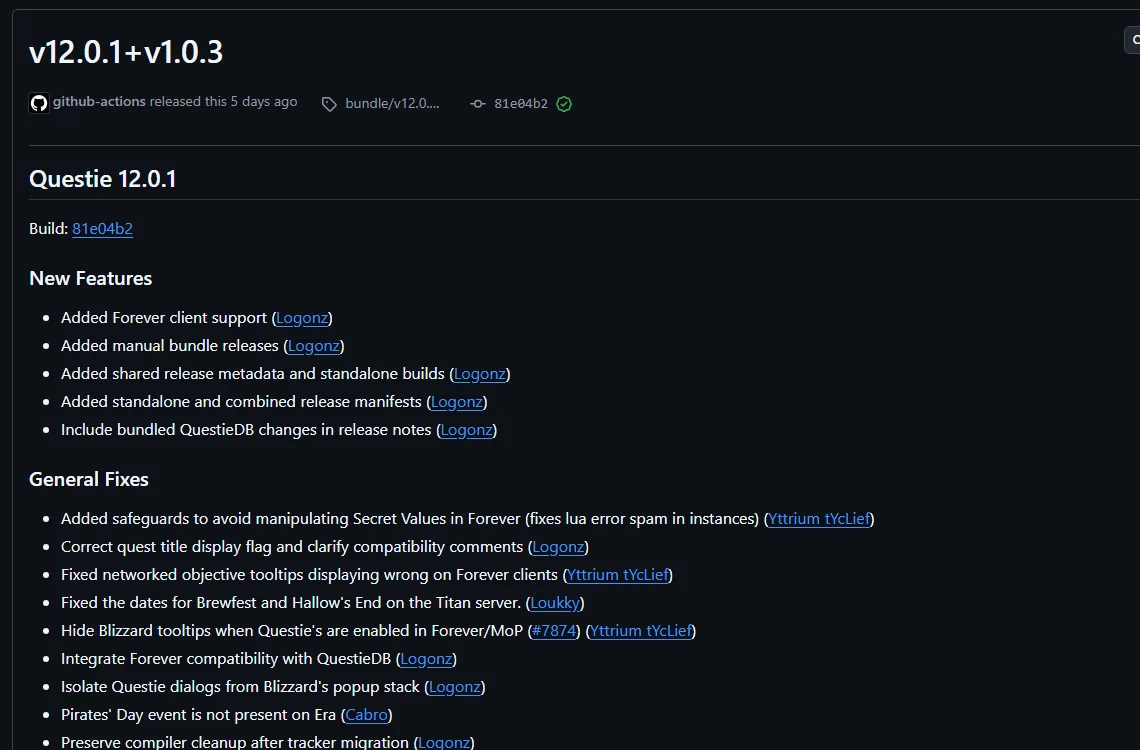
Veröffentlichte Addons zeigen, wie eine funktionierende Forever-TOC aussieht. Die Forever-TOC von Questie deklariert ## Interface: 16001, und auch die kostenlose Addon-Engine von RestedXP und TomTom führen Forever-Dateien auf CurseForge. Die RestedXP-Forever-Übersicht erklärt, was dieses Guide-Addon verkauft. Öffne die .toc eines veröffentlichten Addons und vergleiche seine Interface-Zeile mit dem, was dein Modell geschrieben hat.

Wichtige Fakten
- Prompt-Grundlage GeändertNenne in jeder Anfrage die API-Familie 12.1.5, Secret Values und den Beta-Build
- Interface in Prompts GeändertGib 16001 an, damit das Modell nicht 120001 oder 11503 wählt
- Addon-API GeändertForever nutzt die moderne Addon-API, mit den Kampfeinschränkungen von MidnightClassic: Classic Era behält die ältere API, bei der das Kampflog für Addons offen ist.
- Kampflog EntferntCOMBAT_LOG_EVENT_UNFILTERED verbieten; es wirft unter Midnight einen Fehler und ist auf Forever laut Berichten nicht verfügbar
Quellen
- WoW: Forever Will Have Addon Changes from MidnightWowhead
- World of Warcraft Developer Q&A (September 17 stream), add-on answer at 01:20:52Blizzard Entertainment (YouTube)
- TOC formatWarcraft Wiki
- What the WoW Forever beta breaks for addons: secret health values, dead secure snippets, new APIsWoW Forever Builds
- AddonsWarcraft Forever
- Patch 12.0.0/API changesWarcraft Wiki
- Addon compartmentWarcraft Wiki
- Settings APIWarcraft Wiki
- API C_Timer.AfterWarcraft Wiki
- Secret ValuesWarcraft Wiki
- WOWF Beta: Addon SavedVariables appear to write correctly to disk but are not restored at startupWorld of Warcraft Forums (player bug report)
- API GetBuildInfoWarcraft Wiki
- Questie on CurseForgeCurseForge
- RestedXP Guide on CurseForgeCurseForge
- Blizzard client source: ProjectConstants.lua (retained build 70338; mirror may change)Blizzard Entertainment (source mirrored by Gethe)