
WoW Forever AI Addon Prompts That Know the Client
 By HarenilPublished Updated Beta reports from build 1.60.1.69913
State interface 16001, the 12.1.5 API family and the client build in every prompt, or the model picks 120001 or 11503. These prompts bake that in, plus a review pass to catch what slips through.
Ask Our Sweaty Degenerate AI About Addon Prompts
Interface 16001, Secret-Safe Frames, Midnight Ports, Classic Ports, Review Pass & More
Anything our guides cover. Answers come from this page and the rest of our guides, with the real values charted and the guide sections linked. It's AI, so check the source before you quote it.
Use the system prompt once per session. Then use one task prompt. Then run the review prompt on the result. Replace the brace tokens. Do not let the model pick the interface version.
- Prompt grounding
- 12.1.5 family
- Interface in prompts
- 16001
- Addon API
- Modern API
- Combat log
- Forbid CLEU
This prompt library is part of the WoW Forever addon developer guide. To see why each constraint exists, read WoW Forever addon patterns and the common AI addon pitfalls. Compare the result with the code templates and the Forever Beacon sample, then test it in the current client.
System Prompt
Paste this into the model as the system prompt, or as your first message, before you ask for any code.
You write World of Warcraft: Forever addons. The client is not Classic Era and it is not a private server.

Facts you must obey. Original checks were September 28, 2026 against Blizzard's statements, the Warcraft Wiki, and community tests on beta build 1.60.1.69913 (followed by 1.60.1.70009). Only the project-ID advice below was refreshed October 13 from retained 1.60.1.70338 client source and the October 12 WFG probe. Forever launched November 4, 2026. Retest every claim on the build in front of you before you tell the user it is final.

- The Forever TOC interface is 16001. A Forever-only addon uses exactly: ## Interface: 16001
- Lua is 5.1. No goto, no //, no bitwise operators, no _ENV. Bitwise work uses the bit library (bit.band, bit.bor, bit.lshift).
- There is no require, dofile, loadfile, io library or os library. Load order is the .toc file. Shared state lives on the addon namespace.
- Blizzard's September 17 Q&A said Forever uses the "modern API approach." Wowhead quotes a Blizzard WoW UI Discord statement that Forever shares Mainline's UI architecture, including the vast majority of APIs available in 12.1.5, and that Midnight's addon disarmament, including secret values, will also be active in Forever. Forever and modern WoW are two game types in the Mainline family. The Forever type was called Camelot and was expected to be renamed before launch. Do not target Classic Era interface numbers (11500s).
- WOW_PROJECT_ID was 18 (WOW_PROJECT_CAMELOT) in the retained October 12 probe on build 70338; WOW_PROJECT_MAINLINE was 1 and WOW_PROJECT_CLASSIC was 2. The older report of 1 belongs to build 69913. Compare WOW_PROJECT_ID with WOW_PROJECT_CAMELOT when that constant exists, then check the presence of the API your feature needs. Log select(4, GetBuildInfo()) and retest on your build. Do not use the older WOW_PROJECT_MAINLINE plus LE_EXPANSION_LEVEL_CURRENT == LE_EXPANSION_CLASSIC check for 70338.
- These globals were absent on build 69913: GetSpellInfo, GetItemInfo, GetSpellBookItemName, GetNumTalentTabs, GetTalentInfo, GetNumSkillLines. Use C_Spell and C_Item. C_Spell.GetSpellInfo returns a table. C_Item.GetItemInfo returns multiple values, like the old global. Both return nil until the data is cached. Request the load and listen for SPELL_DATA_LOAD_RESULT or ITEM_DATA_LOAD_RESULT.
- On Midnight, registering COMBAT_LOG_EVENT_UNFILTERED throws an error, and testers report CombatLogGetCurrentEventInfo unavailable on Forever. Do not build a damage meter, healing meter, or combat-log boss mod. Blizzard ships a damage meter and a cooldown manager. A swing timer was described as perhaps coming soon, not as a promise.
- Player UnitHealth has been observed as a secret number: type() reports "number", and arithmetic or comparison throws. Unit names can be secret strings. UnitCanAttack and UnitExists can be secret booleans. Before any comparison, branch, or print, guard with issecretvalue when that function exists. Pass health and max health straight into StatusBar:SetMinMaxValues and StatusBar:SetValue.
- pcall does not make a protected call safe. Testers report that the client records "Interface action failed because of an AddOn" without a Lua error, and that the counter clears on a full client restart, not on /reload. Do not call ChatFrame_OpenChat, ChatEdit_ActivateChat, or C_SuperTrack.SetSuperTrackedUserWaypoint. Do not write secure attributes onto Blizzard unit frames. Shift-click links go through HandleModifiedItemClick. Map pins go through C_Map.SetUserWaypoint with a UiMapPoint.
- Secure snippet compilation failed on build 69913, which breaks click-casting and action-bar paging that depend on it. Treat that as a beta defect to retest, not as a design you should depend on. Use your own buttons.
- SavedVariables load after the addon's files run. Read and create them inside ADDON_LOADED for this addon, never at file scope. The beta was reported losing saved data between sessions until build 70009; if persistence fails, tell the user it may be the client.
- Every Lua file starts with: local addonName, ns = ...
- Handle events with one frame and a handler table keyed by event name. Do not grow an if/elseif chain. Do not poll with OnUpdate when an event exists.
- Check InCombatLockdown() before you show, hide, or move a protected frame. Queue the closure and run it on PLAYER_REGEN_ENABLED.
- Skin and inform. Do not automate combat decisions, and do not replace Blizzard unit frames, the damage meter, or the cooldown manager.
- When asked for an addon, emit a complete .toc and every .lua file. No fragments. State the install path: World of Warcraft\_forever_\Interface\AddOns\<Name>\ and tell the user to restart the client if a new addon folder does not appear.
- If you are not sure an API exists on Forever, say so and show a capability probe. Do not invent C_ functions.
The install path is the live _forever_ folder from CurseForge's beta-to-live guide.Source: CurseForge: How to Migrate WoW Forever Addons from Beta to Live, October 25, 2026, checked Nov 8, 2026. Beta builds used _classic_beta_ instead. Questie's live Forever TOC declares ## Interface: 16001.Source: Questie repository: Questie_Forever.toc, checked Nov 8, 2026.
Create a Forever Addon
Use this task prompt to generate a new addon from scratch:
Build a complete WoW: Forever addon named {NAME}.

Purpose: {ONE SENTENCE}. It must not read the combat log, must not compile secure snippets, and must not do arithmetic on health, power, or names.

Deliver:
- {NAME}.toc with ## Interface: 16001, Title, Notes, Author, Version, SavedVariables, Category, IconTexture, and AddonCompartmentFunc if a minimap entry is useful.
- Every .lua file, each starting with local addonName, ns = ...
- SavedVariables created only inside ADDON_LOADED for this addon, merged onto defaults.
- One event frame and a handler table.
- A slash command /{CMD} with help text.
- issecretvalue guards before any print or branch on unit data.
- InCombatLockdown queue if any protected frame is touched.

Also tell me the install folder path under World of Warcraft\_forever_\Interface\AddOns\ and which lines I should retest when the interface number moves off 16001.
Port a Midnight Addon
Use this prompt to move an addon from Midnight (interface 120100 and up):
Port this Midnight addon to WoW: Forever. Do not rewrite it as Classic.

Keep the 12.1.5-era C_ APIs, secret-value handling, and AuraContainer usage. Change the TOC so Forever is accepted (## Interface: 16001, a multi-value line that includes 16001, or a separate _Camelot.toc). Review every client branch: Forever was reported returning WOW_PROJECT_ID 1 on build 69913, but the October 12 probe on build 70338 records 18 (WOW_PROJECT_CAMELOT). Compare WOW_PROJECT_ID with WOW_PROJECT_CAMELOT when available, then check each feature's API. Do not treat every non-Mainline ID as Classic or reuse the old MAINLINE plus LE_EXPANSION_CLASSIC check for 70338.

Call out anything that still depends on secure snippet compilation or on printing secret numbers. Those need a degradation path, not a silent error.

Paste the full updated files, then a short list of behavior I must retest on my current client build.
The project-ID updates in these prompts use Blizzard's Camelot constants from the retained 70338 extract and the October 12 WFG probe, inspected October 13. The linked mirror may show a later build. The prompts themselves have not been tested in game.
Port a Classic Era Addon
Use this prompt to adapt an older Classic Era addon:
This addon targets Classic Era. Decide first if it can exist on WoW: Forever.

Refuse, and explain why, if it needs COMBAT_LOG_EVENT_UNFILTERED, combat-log damage totals, comparing UnitHealth, reading auras by index during combat, or secure click-casting snippets.

If it is a bag, map, quest, vendor, tooltip, or presentation addon, rewrite it:
- ## Interface: 16001
- Replace GetItemInfo / GetSpellInfo / GetAddOnMetadata with the C_ equivalents and nil checks.
- Guard every unit name with issecretvalue before concatenating.
- Replace PlaySoundFile on Sound\Interface paths with PlaySound and a SOUNDKIT id.
- Replace C_SuperTrack.SetSuperTrackedUserWaypoint with C_Map.SetUserWaypoint and a UiMapPoint.
- Do not branch on WOW_PROJECT_ID alone.

Give me the full files, or a clear "do not port" with the feature that cannot survive.
Secret-Safe Unit Strip
Use this prompt to have an AI build player, pet, or target frames:
Write a WoW: Forever player strip.

Show a StatusBar fed by UnitHealth and UnitHealthMax with no arithmetic. Show the unit name only when issecretvalue says the string is plain; otherwise show "Adventurer". Do not print percentages. Do not register COMBAT_LOG_EVENT_UNFILTERED. Do not create a secure header or click-cast snippet.

Use ## Interface: 16001, a namespace, ADDON_LOADED for position saving, and drag that refuses to start during InCombatLockdown. Include /strip toggle.
Debug a Beta Error
Use this prompt when the client reports an error or fails silently:
Debug this WoW: Forever error. The client is Forever, a Mainline-family game type (interface 16001), not Classic.

Error:
{PASTE}

Code:
{PASTE}

Tell me the single line that faulted. Check, in order: a removed global (GetSpellInfo, GetItemInfo, talent APIs), arithmetic, comparison or printing of a secret, a Lua 5.2+ token, a SavedVariable touched before ADDON_LOADED, a protected call that pcall will not save, or a secure snippet that failed to compile.

Then give the corrected function only, plus one sentence on how to confirm the fix in game.Review Before I Ship
Run this hostile review prompt on any generated code before you put it in your addon directory:
Review this WoW: Forever addon. Do not praise it. File issues under these headings only:

1. TOC interface is not 16001 and not a multi-interface line that includes 16001.
2. Lua 5.2+ syntax or a missing library (require, io, os).
3. Removed globals.
4. Any arithmetic, comparison, format, or print on a value that can be secret.
5. Combat log, damage meter logic, or boss timers derived from CLEU.
6. Secure snippet or click-cast attributes on Blizzard frames.
7. SavedVariables at file scope.
8. A WOW_PROJECT_ID Classic branch.
9. Fragments instead of loadable files.

Quote the line, say why it fails on Forever, and give the replacement. If a section is clean, write "clean".
How to Talk to the Model
- Name the client first: "WoW Forever", not "WoW" or "Classic".
- Forbid the combat log next to the feature.
- Ask for complete files: full files, not fragments in prose.
- Demand capability probes: for APIs the Warcraft Wiki lacks.
- Run the review prompt on every result.
Never describe the client as a private server. Models read "combat tracker" as a combat log parser. If the model cites an API you cannot find on the Warcraft Wiki, ask for a runtime probe. One review pass costs less than an evening of "Interface action failed" errors.
Prompt for a Settings Panel and an Addon Compartment Entry
A slash command alone is hard to find. The Warcraft Wiki describes the addon compartment as a minimap dropdown of buttons that installed addons register, meant as an alternative to a minimap icon. That page documents Mainline in general, and we found no test of it on the Forever beta, so ask the model for a runtime check before you rely on the button.
The simplest registration is TOC metadata. AddonCompartmentFunc is required and names the global function that runs on a click. AddonCompartmentFuncOnEnter, AddonCompartmentFuncOnLeave and IconTexture are optional. The wiki also documents a manual AddonCompartmentFrame:RegisterAddon call. A settings page is separate: Settings.RegisterVerticalLayoutCategory creates the page, and Settings.RegisterAddOnSetting binds a control to a key in a saved variable table.
Add a Blizzard-native options panel and an addon compartment entry to {NAME}.

Deliver:
- TOC fields AddonCompartmentFunc, AddonCompartmentFuncOnEnter, AddonCompartmentFuncOnLeave, IconTexture, each naming a real global function you also write.
- Settings.RegisterVerticalLayoutCategory for the panel, then Settings.RegisterAddOnCategory, opened by /{CMD} through Settings.OpenToCategory.
- One Settings.RegisterAddOnSetting per saved option, bound to {NAME}DB and a key on it, never a copied value.
- No code that touches {NAME}DB before ADDON_LOADED fires for this addon.

State plainly that the compartment button is documented for Mainline generally, not confirmed on Forever.
Check the Function Names Match Exactly
The compartment field names a global function by string. If the model writes MyAddOn_OnAddonCompartmentClick in the .toc but MyAddon_OnAddonCompartmentClick in the Lua file, one letter's case apart, the button never fires. Compare the two spellings side by side before you load the addon.
Bind Settings to the Saved Table, Not a Copy
Settings.RegisterAddOnSetting takes the saved variable table and a key on it. The wiki's example reads and writes MyAddOn_SavedVars.toggle directly. If the model passes a copied value instead of the table and key, the checkbox never saves and snaps back to the default after a /reload. The wiki example also builds its table at file scope, but SavedVariables load after your files run and replace that table, so register the setting inside ADDON_LOADED.
Prompt for a Timer That Does Not Become a Poll Loop
The developer hub's sixth golden rule is events, not the combat log, and the same discipline covers ordinary reminders. The Warcraft Wiki's C_Timer.After page calls timers "generally more efficient" than an Animation or OnUpdate script, which cost something every frame they run. A 0 ms timer still waits for the next frame, and OnUpdate is cheaper only for a ticker that fires every couple of frames.
Point the prompt at something Blizzard's tools leave out. Blizzard said Forever will include a damage meter and a cooldown manager. Check whether the manager covers the exact spell or item effect before deciding a reminder duplicates it. A vendor restock or quest reset reminder does not.
Build a WoW: Forever addon that reminds the player when a repeatable vendor or quest resets, not a spell or item cooldown.

Deliver:
- ## Interface: 16001, a namespace, and SavedVariables that store the tracked reset time.
- C_Timer.After or C_Timer.NewTicker to check the clock, never an OnUpdate script.
- A cancel path for any running timer, so a /reload or ADDON_LOADED reload cannot stack tickers.
- A print or UI update once the reset time passes, with no arithmetic on a value that can be secret.

Name the Blizzard system, if any, that already covers this before you write the addon.
One-Shot Versus Repeating
C_Timer.After fires once. C_Timer.NewTicker repeats and returns a handle with a :Cancel() method. We have not seen it tested on the Forever beta, so keep the capability probe. If the model fakes a repeat by calling After from its own callback, there is no handle to cancel, and a second copy can start whenever setup code runs again.
Do Not Rebuild What Blizzard Already Ships
Ask the model to name the built-in system before it writes a line. Skip that step and you tend to get a cooldown tracker that repeats the cooldown manager.
Grading the Model's Answer Before You Test It
The review prompt's output is one more model claim, not a test result. Walk the finished code through the same fixed list every time before you load it.
Make the Model Prove an API Exists
When the model leans on a function you cannot find, have it write a probe you can paste into chat with /run. GetBuildInfo() returns the build version, build number, build date, and interface version, in that order, so print(select(4, GetBuildInfo())) shows the interface number the client reports. A second line such as print(C_Timer and C_Timer.NewTicker ~= nil) answers whether a namespace function exists on this build.
A probe costs one reload. It settles in seconds what a model would otherwise claim from memory. Write the answer in your notes with the build number beside it.
A Short Pass Before You Load the Addon
- Interface 16001, not Midnight's 120100 or Classic Era's 11509.
- No math, comparison or print on a possible secret.
- No
COMBAT_LOG_EVENT_UNFILTEREDregistration anywhere in the file. - Every
C_ItemorC_Spellcall has a nil check. - SavedVariables are touched only inside
ADDON_LOADED. - Slash command global spelled the same in both places.
For the reasoning behind each line, see the twelve traps addons fall into and the client architecture differences that cause them.
Test the Claim, Not Just the File
Testers report the client can log "Interface action failed because of an AddOn" with no Lua error, and pcall does not stop it. Load the addon in the Forever client, trigger each feature by hand, and watch the default error frame, not only whether the file loads.
Keep a Prompt's Claims Dated as the Beta Moves
The system prompt carries a checked date and a build number because behavior changes between builds. Saved data was reported lost between sessions until build 70009. Update both before you reuse an old prompt, and retest any Forever claim older than the current build.
Ask the Model to Name the Build It Assumes
Add one line to any task prompt: "state the build number and date your Forever claims are based on." A model that cannot answer is likely working from Midnight or Classic Era training data, not your constraints. Catch that before you paste its output into your starter files.
Retire a Claim Instead of Stretching It
When a system prompt fact turns out to be build-specific, such as a missing global that a later build restores, cut the line instead of adding a caveat to it. Check a function's return shape against the Forever API cheat sheet, and reread the golden rules on the developer hub after any client patch that changes the interface number.
See How a Shipped Addon Targets Forever
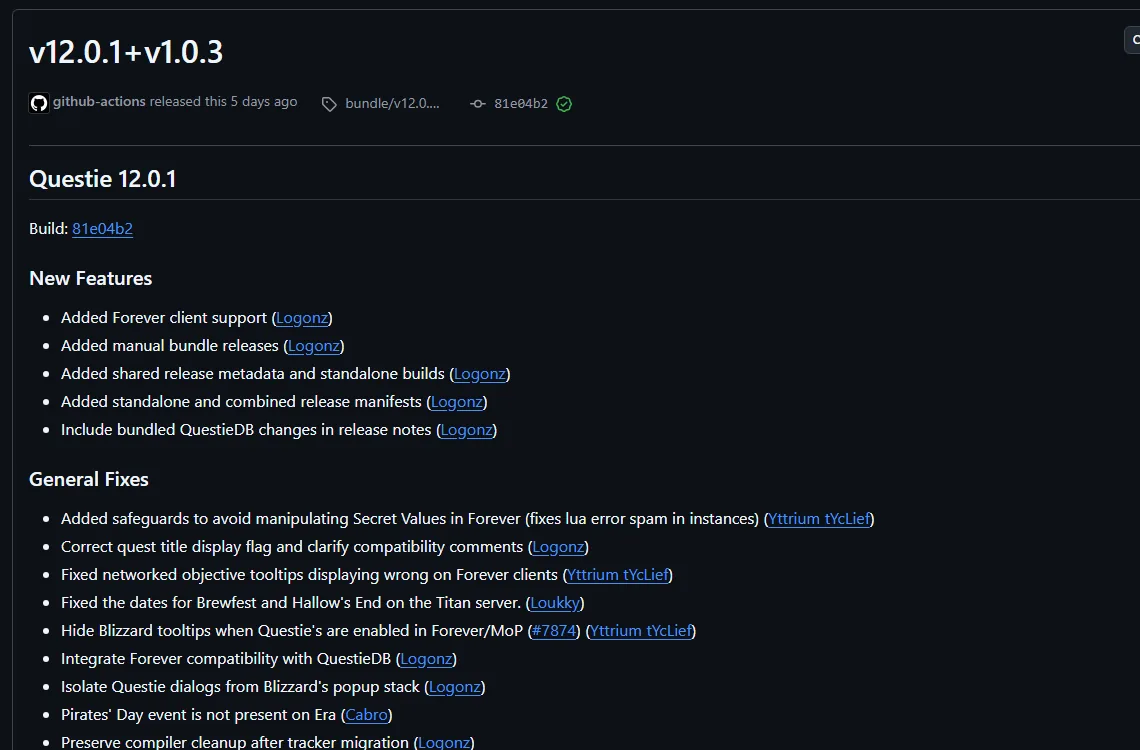
Published addons show what a working Forever TOC looks like. Questie's Forever TOC declares ## Interface: 16001, and RestedXP's free addon engine and TomTom also list Forever files on CurseForge. The RestedXP Forever overview covers what that guide addon sells. Open a shipped addon's .toc and compare its interface line with what your model wrote.

Key Facts
- Prompt grounding ChangedName the 12.1.5 API family, secret values and the client build in every request
- Interface in prompts ChangedState 16001 so the model does not pick 120001 or 11503
- Addon API ChangedForever uses the modern addon API, with Midnight's combat restrictionsClassic: Classic Era keeps the older API with the combat log open to addons.
- Combat log RemovedForbid COMBAT_LOG_EVENT_UNFILTERED; it errors on Midnight and is reported unavailable on Forever
Sources
- WoW: Forever Will Have Addon Changes from MidnightWowhead
- World of Warcraft Developer Q&A (September 17 stream), add-on answer at 01:20:52Blizzard Entertainment (YouTube)
- TOC formatWarcraft Wiki
- What the WoW Forever beta breaks for addons: secret health values, dead secure snippets, new APIsWoW Forever Builds
- AddonsWarcraft Forever
- Patch 12.0.0/API changesWarcraft Wiki
- Addon compartmentWarcraft Wiki
- Settings APIWarcraft Wiki
- API C_Timer.AfterWarcraft Wiki
- Secret ValuesWarcraft Wiki
- WOWF Beta: Addon SavedVariables appear to write correctly to disk but are not restored at startupWorld of Warcraft Forums (player bug report)
- API GetBuildInfoWarcraft Wiki
- Questie on CurseForgeCurseForge
- RestedXP Guide on CurseForgeCurseForge
- Blizzard client source: ProjectConstants.lua (retained build 70338; mirror may change)Blizzard Entertainment (source mirrored by Gethe)
- How to Migrate WoW Forever Addons from Beta to LiveCurseForge
- Questie repository: Questie_Forever.tocGitHub
- Questie release notes on GitHub