

Pick a tool by the job it does in the table above. The standalone talent calculator shows a structural comparison with beta build 1.60.1.70205 and dates its tooltip sources separately. The class-page embeds keep their older data. Open the reviewed beta plans for allocations checked against the standalone planner. The race and class tables come from Blizzard.
Choosing a Character Name
The Forever name generator builds original first names and surnames from a race-inspired style and theme, but the game still decides acceptance and availability. Keep either half, reroll the other, copy a batch and save favorites. Its preparation check uses name restrictions from the versioned beta client.
Planning the Leveling
Use the gear lookup to compare the researched beta crafting subset by spec, slot and level. Each option links to its item stats and crafting evidence, and gaps in recipe access stay visible.
Once your race, class and talents are settled, the leveling guide covers the level 60 cap, the zone ranges and what Blizzard has not said about experience. If you want an in-game route to follow, the RestedXP guide explains what its Forever guides cover, what they cost and what is still being built.
Reading the Icon on Each Row
The evidence icon on a source-based roster row describes its data: Confirmed, Planned or Reported. Hover, focus or tap it to see which. Lookup rows describe the working reference and its task instead. Talent data stays Reported because it is a client read, not a Blizzard-published tree list.
The race and class combos table and the race select screen carry the Confirmed icon because Blizzard's own "Create the Hero" article lists the pairings directly. The beta and launch dates tool and the roadmap tracker carry the Planned icon. Blizzard has published the dates as a schedule, and that schedule can still move.
Why the Talent Data Says Reported
The talent data says Reported because it is a client read, not a Blizzard-published tree list. The older class-page embeds show WoW Forever Talents' read of beta build 1.60.1.70009.Source: WoW Forever Talents, checked Sep 25, 2026. The standalone website projection has newer corrections to talent positions, prerequisites and ranks. Its source and rule notes keep the structural comparison apart from historical tooltip text.
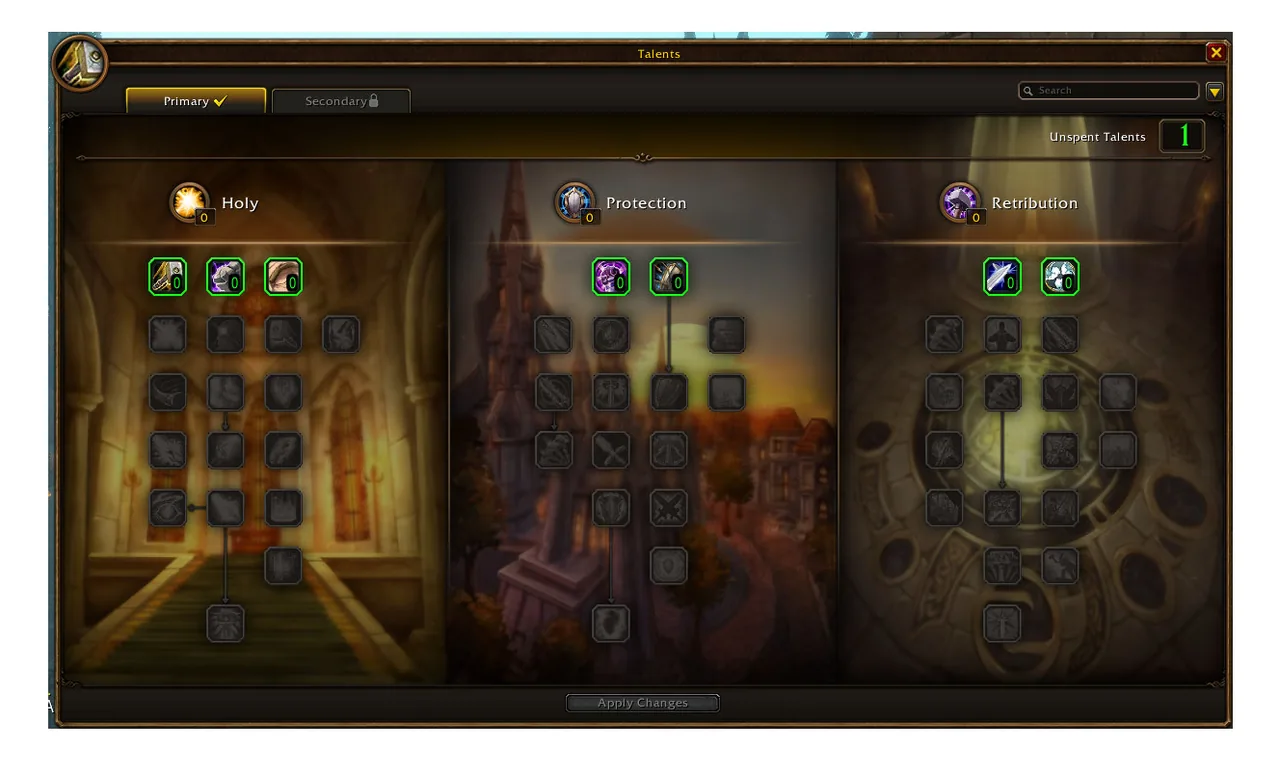
Where a Reported and a Confirmed Source Disagree
The build directory's talent checks show an allocation is legal, not its gameplay performance. The talents guide lists the website projection's current structural corrections and its unresolved nodes. The build directory applies those rules: five plans spend 21 points at level 30, while the supported Protection starter spends eight and leaves 13 unassigned.
Using the Talent Calculator Alongside a Class Page
Use the standalone planner for the current website allocation rules. Class pages keep their older embedded calculators next to the sourced class and spec guidance. Check their source dates before you compare a tooltip or allocation with the standalone planner.
In the standalone planner, choose your class and planning level, spend points within its rules, then copy the build link. The link reopens your exact build for anyone who clicks it. Save build keeps a named copy under My builds, stored on your device only.
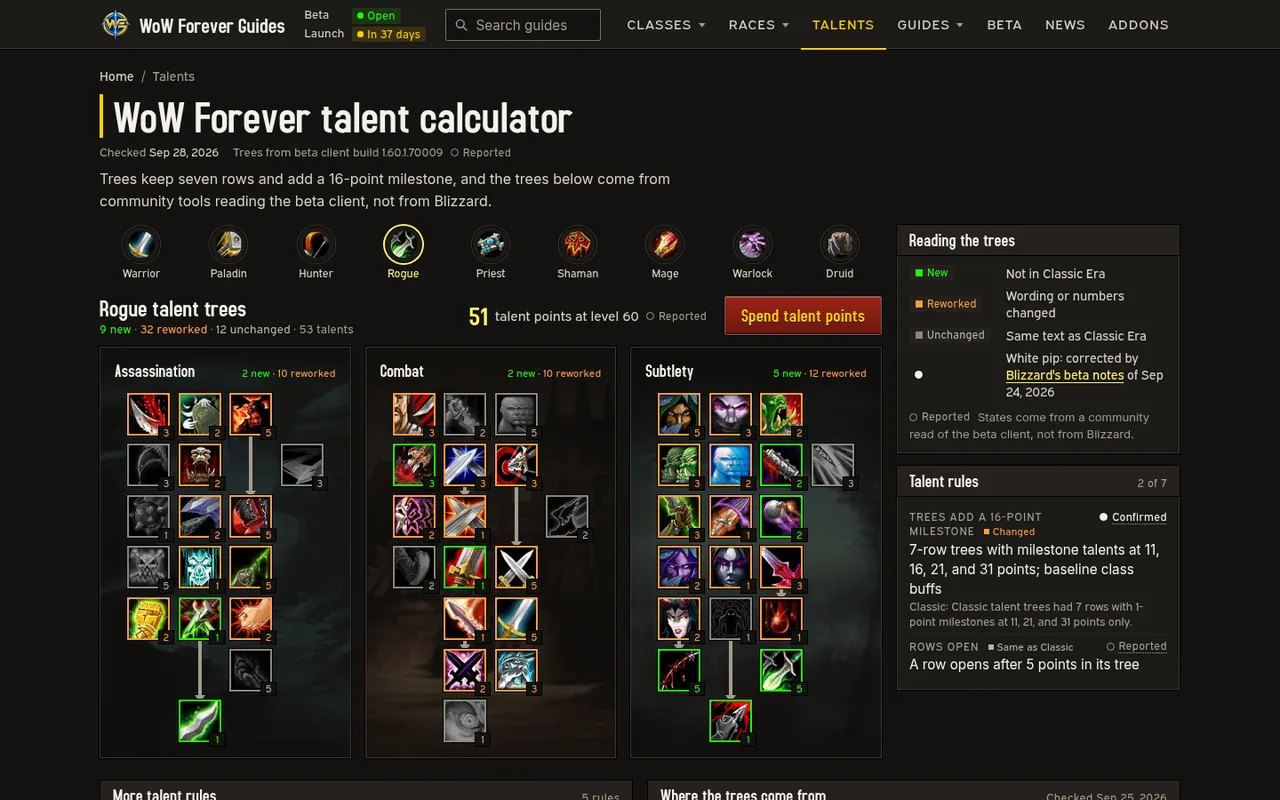
Sharing and Reopening a Build
Re-check a shared link after any beta patch before you trust it for a respec. The standalone planner restores supported older links when it can map their allocation safely. If a link has removed, repurposed or unavailable talents, the planner rejects the whole link, keeps your existing allocation and explains the problem. Blizzard's September 24 notes set the beta re-spec cost at 1 silver if you have not changed talents recently, rising after your first reset.
Filtering the Race and Class Combinations Table
Filter the race and class combos tool by race, by class or by faction instead of scrolling through every race's own page in turn. It uses the same table as the races guide, read a different way. A shared link keeps the filter you had open, so you can send someone a Horde-only or Shaman-only view instead of the whole roster.


Six pairings are new since Classic Era: Human Hunter, Gnome Priest, Dwarf Shaman, Orc Mage, Troll Warlock and Forsaken Paladin (Blizzard's own article uses Undead for that last race). Blizzard's Create the Hero article lists all six directly. Confirmed.
Skyborne Is Filtered Differently
Skyborne is the only race on both Alliance and Horde, so the tool shows it on both sides of the faction filter for each of its classes except Mage and Shaman. High Order Skyborne, on Alliance, can be a Mage; Windshaper Skyborne, on Horde, can be a Shaman instead. The other four classes open to Skyborne are shared across both factions, so filtering by class alone shows Skyborne on both sides except for those two.


Keeping Beta and Launch Dates Straight
The beta and launch dates tool shows the November 4 launch time in your own time zone, so you are not converting from Pacific time, and the roadmap tracker lays every card out in order. Both cover the same announced schedule from two angles. The dates tool also lists each milestone's date and status, and the roadmap tracker runs from the beta through the Summer 2027 window.
The launch countdown is the live version: a ticking timer to 3:00 p.m. PST on November 4, plus copy-paste embeds that put the same timer on a website or an OBS or Streamlabs overlay.
Both tools carry the same open conflict. Blizzard's beta launch article calls October 21, 2026 "the last full day of testing,"Blizzard: The World of Warcraft: Forever Beta Now Live, checked Sep 28, 2026.
while the official roadmap graphic prints "SEPT 17 - OCT 22."Blizzard: World of Warcraft Forever What's Next Panel Recap, checked Sep 28, 2026.
Neither Blizzard page has corrected the other as of Sep 28, 2026, so both dates stay visible.
What Each Tool Adds Beyond the Date Itself
Check the beta and launch dates tool for two quick answers, whether the beta is open right now and how long until launch, and the roadmap tracker for what each milestone contains. The tracker goes further, card by card, including the December 9, 2026 raid unlock and the still-undated winter Hardcore card. Install steps and access requirements sit on their own page rather than inside either tool.
Searching Guides, the Glossary and the FAQ
The roster links to three search pages that filter as you type, and the guide search tolerates typos, so a one-letter slip still surfaces the closest page. They search three different lists: every guide on the site, every term in the glossary, and every question in the site FAQ.
The glossary and FAQ lookups also write your search into the page address. Copy the address after typing and the link reopens already filtered to the same words. The guide search reads a search from the address when a link carries one, but does not rewrite the address as you type.
Tools FAQ
Is the WoW Forever talent calculator an official Blizzard tool?
No. The standalone planner runs on this site's dated beta client reference, and the talent page describes its build and source checks. Older class-page embeds keep their community-sourced data. These client reads count as reported evidence. They are not an official Blizzard calculator or a guarantee of live-game legality.
Why do the race and class combos and race select tools say Confirmed?
Because they come straight from Blizzard's own "Create the Hero" article, which lists every pairing by name, not from a community client read. That is the difference between the Confirmed and the Reported icon on this page's roster table.
Do the beta and roadmap tools ever show different dates for the same milestone?
Yes, for the beta's end date. Blizzard's text pages say October 21, 2026; the official roadmap graphic says October 22. Both tools show both dates instead of choosing one, because Blizzard has not reconciled them.
Can I link someone directly to a filtered glossary or FAQ search?
Yes. Typing into either lookup updates the page address with your search words, so copying that address after you search reopens the same filtered list for whoever clicks it.
Does a shared talent build link still work after a data update?
Supported older links can reopen in the standalone planner. If a link has removed, repurposed or unavailable talents, the planner rejects the whole import, explains the problem and keeps your existing allocation. It does not drop or reassign points.
Use the References
For a character, pair the ability progression with macro patterns. For crafting, compare item records, recipe materials and the profession guides. Plan travel with the quest database and zone map.