
WoW Forever System Requirements
Windows and Mac, minimum and recommended, from Blizzard Support.
 By HarenilPublished Updated How tiers work
The minimum is Windows 10 64-bit or macOS 12, plus 128 GB free on an SSD, with Windows 11 and macOS 15 as the recommended picks.
Ask Our Sweaty Degenerate AI About System Requirements
Minimum Specs, Windows and Mac, 128 GB SSD, GPU Cutoffs, Gamepad Support & More
Anything our guides cover. Answers come from this page and the rest of our guides, with the real values charted and the guide sections linked. It's AI, so check the source before you quote it.
TL;DR, 5 facts
- Published platformsWindows and Mac
- Windows minimumWindows 10 64-bit, May 2019 Update or newer
- Mac minimummacOS 12
- Oldest GPUs supportedAMD Graphics Core Next 1, NVIDIA Maxwell or Intel Skylake, or newer; such cards are still below the minimum
- Storage128 GB available on SSD, minimum and recommended
Windows, 8 rows
| Component | Minimum | Recommended |
|---|---|---|
| OS | Windows 10 64-bit, May 2019 Update or newer | Windows 11 |
| Processor | 4 cores, 3.0 GHz; Intel Core Haswell; AMD Ryzen Zen | 8 performance cores, 5.2 GHz boost; Intel Core Ultra Series 2; AMD Ryzen Zen 5 |
| Video | DirectX 12-capable 4 GB GPU; NVIDIA GeForce GTX 10 series; AMD RDNA 1; Intel Iris Xe2-LPG Lunar Lake Graphics | DirectX 12-capable 8 GB GPU; NVIDIA GeForce RTX 40 series; AMD RDNA 3; Intel Arc B-Series Graphics |
| Memory | 8 GB RAM | 16 GB RAM |
| Storage | 128 GB available on SSD | 128 GB available on SSD |
| Internet | Broadband Internet connection | Broadband Internet connection |
| Input | Keyboard and mouse required | Multi-button mouse with scroll wheel |
| Resolution | 1280×720 minimum | 1280×720 |
Mac, 8 rows
| Component | Minimum | Recommended |
|---|---|---|
| OS | macOS 12 | macOS 15 |
| Processor | Apple M2; 9th Generation Intel Core Coffee Lake | Apple M4 |
| Video | Metal capable 4 GB GPU Apple M2 8 GB | Apple M4 16 GBAs displayed. Blizzard's layout leaves unclear which GPU goes with which memory. |
| Memory | 8 GB RAM | 16 GB RAM |
| Storage | 128 GB available on SSD | 128 GB available on SSD |
| Internet | Broadband Internet connection | Broadband Internet connection |
| Input | Keyboard and mouse required | Multi-button mouse with scroll wheel |
| Resolution | 1280×720 minimum | 1280×720 |
Platforms, 3 rows
| Platform | Listed by Blizzard | Client |
|---|---|---|
| Windows | Yes | Battle.net App |
| Mac | Yes | Battle.net App |
| Console, Linux, mobile, cloud | Not in the product details | None listed |
Vanilla launched in North America in November 2004, and a family PC from that era sits below Forever's GPU cutoff. Console, Linux, mobile and cloud play aren't in the product details Blizzard published.
On This Page
Download-Readiness Check
Run through this list before looking for a client:
- Check your OS against a published row.
- Have at least 128 GB available on an SSD.
- Check the processor and video rows for your platform.
- On Windows, check your graphics card's generation.
- Have broadband internet and a keyboard and mouse ready.
- Install the Battle.net App and sign in.
The published OS rows are Windows 10 64-bit May 2019 Update or newer, Windows 11, macOS 12 or macOS 15. Minimum and recommended list the same storage figure on both platforms. Treat the Mac video wording as unresolved; don't guess from a different WoW version.
For the graphics card, Blizzard's GPU requirements article says cards older than AMD Graphics Core Next 1, NVIDIA Maxwell or Intel Skylake aren't supported, and that cards at that line are still well below the minimum. The recommended input row asks for a multi-button mouse with a scroll wheel. Sign in to the right Battle.net account, if Blizzard has granted it beta access.
Only accounts with beta access can do that last step. Since the beta opened on September 17, those accounts find World of Warcraft: Forever Beta under In Development in the Battle.net App's Game Version menu. If it's missing, Support advises closing and restarting the app and checking that the correct account is signed in. The beta reference has the access path and the current date notes.
Blizzard hasn't published a download size or a standalone installer. Its October 1 beta notes list a known issue: the total installation size of WoW: Forever is larger than intended, and Blizzard is working to reduce it in a future beta update. The notes give no size.Source: WoW Forever Beta Development Notes, October 1, checked Oct 1, 2026.
Checking Your GPU Before You Install
The Windows tables give a card class. Blizzard's GPU requirements article adds a hard floor beneath them: the oldest graphics architectures the game will run on at all.Source: World of Warcraft: Forever GPU Requirements, checked Sep 28, 2026. It also says "the vast majority"
of WoW players already have compatible hardware.Blizzard: World of Warcraft: Forever GPU Requirements, checked Sep 28, 2026.

Find Your Graphics Card in Windows
Blizzard gives two ways to check. Open Settings, then System, Display and Advanced display to see your GPU's make and model. Or open Device Manager and expand Display adapters. Neither the article nor the checked Battle.net page covers how to check on macOS.
Cards That Clear the Cutoff, and Cards That Don't
The oldest supported architectures are AMD Graphics Core Next 1 (2012), NVIDIA Maxwell (2014) and Intel Skylake (2015). Blizzard lists these compatible examples: AMD Radeon HD 7850, NVIDIA GeForce GTX 9xx and 750/750 Ti, and Intel HD Graphics 530. It lists these unsupported examples: AMD Radeon HD 6950, NVIDIA GeForce GTX 760/770/780 and GTX 8xxM, and Intel HD Graphics 6000.
The compatible list is a floor, not a target. Blizzard says those cards are "still well below the minimum requirements for the game."Blizzard: World of Warcraft: Forever GPU Requirements, checked Sep 28, 2026.
The Windows minimum row asks for a DirectX 12-capable 4 GB card at the level of an NVIDIA GeForce GTX 10 series, AMD RDNA 1 or Intel Iris Xe2-LPG Lunar Lake Graphics. So a GTX 970 clears the architecture cutoff but falls short of that minimum.
Why the Cutoff Exists
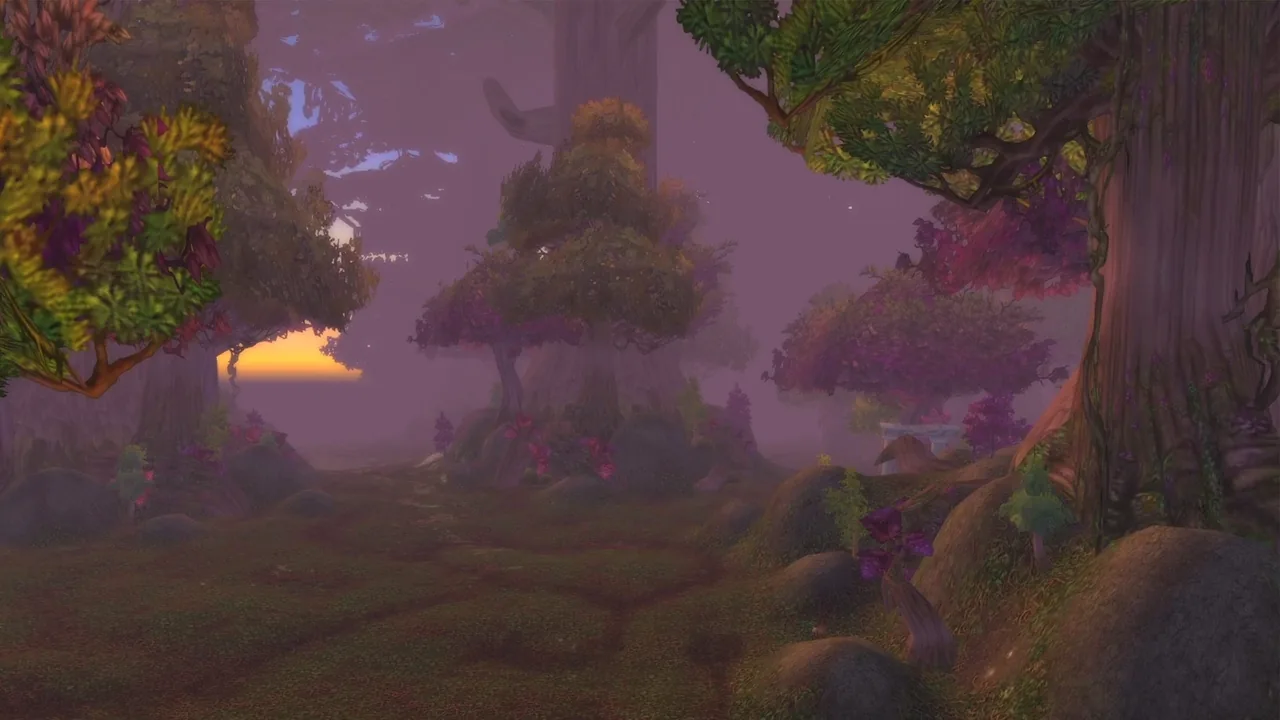
Blizzard ties the floor to one GPU feature: RGBA16F UAV support in compute shaders, introduced around 2012. It says the feature supports Forever's new visual look and a more consistent experience. For older cards, Blizzard's only fix is a GPU upgrade.

What the Beta Notes Say About Performance
Blizzard's beta launch article starts its install steps with a plain tip: make sure your graphics drivers are up to date.Source: The World of Warcraft: Forever Beta Now Live, checked Sep 28, 2026.
The September 24 beta build then fixed several issues that affect how the game runs:Source: WoW Forever Beta Development Notes, updated September 24, checked Sep 28, 2026.
- A memory leak that slowly degraded performance.
- A water display issue and other artifacts on Mac.
- A setting that could disable fog unintentionally.
The October 1 build fixed lag from the Night Watchman's Torch, which also couldn't be canceled, and made rain easier to see. It removed the Ray Traced Shadows option; Blizzard will re-add it in a future update after the functionality is fixed. These are confirmed beta changes.Source: WoW Forever Beta Development Notes, October 1, Bug Fixes, checked Oct 1, 2026.
If an earlier beta build ran poorly for you, retest on the current one before blaming your hardware.
Gamepad Support and the Input Row
Both requirement tables list a keyboard and mouse as the minimum input and a multi-button mouse with a scroll wheel as the recommendation. Neither has a controller row, though Blizzard's What's Next recap announced official gamepad support.
The September 24 notes add Gamepad (Alpha) options: action bar flyouts for Druid, Hunter, Warlock, Paladin and Warrior, a compact action bar toggle, and settings that swap targeting sides on the directional pad. The gamepad support guide tracks those changes and what's still missing, such as a supported device list and a default button map.
What Might Still Change Before Launch
These tables come from Blizzard's published requirements and GPU article, not from the beta client. Blizzard's requirements page warns they may change as programming changes, and the beta has already changed classes and interface from build to build in September.
Recheck Before You Commit to Hardware
No checked source ties a future patch to a hardware change. If you are weighing a GPU upgrade, check the official requirements page again close to your install date. The WoW Forever roadmap lists the milestones between now and launch, the beta access report covers who gets in, and the new player guide covers the rest of your setup.
More Quick Facts
- Windows recommendedWindows 11
- Mac recommendedmacOS 15
- Beta install sizeBlizzard says the total install is larger than intended and is working to reduce it in a future beta update; no figure is published
- Download clientBattle.net App: Forever Beta under In Development, for accounts with beta access
Not Announced
- Console, Linux, mobile, and cloudNot announced in the checked product details
The checked product details don't mention console, Linux, mobile, cloud or cross-play. That is Not announced, not a confirmed exclusion.
Treat future hardware changes with the same caution. Blizzard's art panel replay describes planned fog, lighting, and water changes without publishing performance figures. Blizzard's system requirements page warns that the requirements may change as programming changes. The tables here were retrieved on September 12, 2026 and re-read unchanged on September 26, 2026.

System Requirements FAQ
What are the minimum WoW Forever system requirements?
The minimum is Windows 10 64-bit (May 2019 Update or newer) or macOS 12, 8 GB RAM and 128 GB available on an SSD. The processor and video rows are in the Windows and Mac tables above. Blizzard's GPU article adds a cutoff: GPUs older than AMD Graphics Core Next 1, NVIDIA Maxwell or Intel Skylake are not supported.
What are the WoW Forever system requirements for Windows 10?
Windows 10 64-bit with the May 2019 Update or newer is the published minimum operating system in the WoW Forever system requirements for Windows 10. Windows 11 is the published recommendation. Meeting the OS row alone doesn't confirm that the processor, video, memory, storage, internet, input and resolution rows match too.
Does WoW Forever run on Mac?
Mac is one of the platforms Blizzard lists in its product details. The requirements table lists macOS 12 as the minimum and macOS 15 as recommended, with Apple M2 or 9th Generation Intel Core Coffee Lake at minimum and Apple M4 recommended. The Mac video rows are official but ambiguously formatted, so the tables show them as displayed, with no interpretation added.
Where do I download WoW Forever?
In the Battle.net App. Since the beta opened on September 17, accounts with beta access choose World of Warcraft: Forever Beta under In Development in the Game Version menu. If it's missing, restart the app and check that the correct account is signed in. No download size or standalone installer is published, and Blizzard's October 1 beta notes say the install is larger than intended. Keep the published 128 GB of SSD space free. Use the beta access path for access and the Battle.net App download for the launcher.
Does WoW Forever support console, Linux, mobile, or cloud play?
The checked Battle.net product details list Windows and Mac but don't state console, Linux, mobile or cloud support. Those options are Not announced in the checked sources. The product details also don't include a cross-play statement.
Can the WoW Forever system requirements change?
Yes. Blizzard Support says the requirements may change as programming changes. Check the official World of Warcraft: Forever System Requirements page again before launch or a future client update.
Every entry carries its evidence tier. Confirmed: a Blizzard page, post or video says it. Planned: Blizzard, in the future tense or as a dated plan. Reported: press or a datamine. Unverified: community only. Not announced: nothing on record. Where sources disagree, both stay in the text. How we verify
Sources
- World of Warcraft: Forever System RequirementsBlizzard Support
- World of Warcraft: Forever - Battle.net ShopBattle.net / Blizzard Entertainment
- World of Warcraft Alpha or Beta AccessBlizzard Support
- Battle.net App downloadBattle.net
- World of Warcraft: Forever GPU RequirementsBlizzard Entertainment
- The World of Warcraft: Forever Beta Now LiveBlizzard Entertainment
- WoW Forever Beta Development Notes, updated September 24Blizzard Entertainment
- WoW Forever Beta Development Notes, October 1Blizzard Entertainment (Kaivax, official forums)
Confirmed, a first-party source
Confirmed, a first-party source
Confirmed, a first-party source
Confirmed, a first-party source
Confirmed, a first-party source
Not announced, nothing on record
Confirmed, a first-party source
Blizzard forums · Oct 1 beta notes
Confirmed, a first-party source