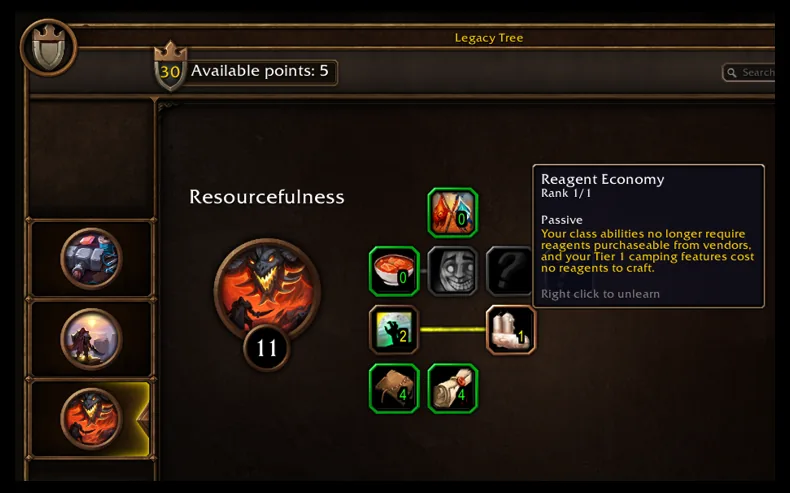
Using Your Plan
Pick a point budget, spend it on perk ranks, then save a link to keep the plan. Set Available points to the points your character can spend, up to the 16-point launch cap. Add or remove a rank with the plus and minus buttons. After every change, the planner checks your budget and each perk's maximum rank.
Save Plan Link gives you a link that holds your budget and selected ranks. If your browser can't copy it for you, copy it from the saved-link field. Opening the link restores your plan against the same data build. Reset clears every selected rank and keeps your chosen budget. None of these actions touches your in-game character; they only change the planner in your browser.
Coverage and Rules
Every perk in this planner costs one point per rank and has no prerequisite or point gate, according to the beta client records. Each perk's maximum rank comes from those records too.
Technical Notes
- In the retained client records, no selectable perk has an incoming prerequisite arrow or point gate.
- The downloadable source dataset records the exact node IDs and omissions.
Blizzard's Legacy article sets the cap: "At the launch of the game, you will be able to spend up to 16 points total on each character."Blizzard: Get to Know the World of Warcraft: Forever Legacy System, checked Oct 5, 2026.
The budget is the per-character launch spending cap. It doesn't mean your character has earned 16 points: it is the most you can spend. The Legacy system guide covers how you earn points, account sharing and ruleset boundaries. The planner doesn't track challenge completion or simulate respec fees.