
How to install Zygor Guides for WoW Forever
Official client steps, an in-game Viewer check, and Zygor's announced Forever guide status.
Zygor’s desktop Client installs guides and addons, but the company says its Forever guides are planned for launch and none will be ready for the beta.
Quick answer
In Zygor Client, check the AddOn folder, install an available guide with the game closed, then enable the Viewer at login.
- Zygor ClientThe desktop app downloads, installs, and updates guides and addons; a Zygor Basic or Elite account is required to log in.
- Guide ViewerZygor describes an in-game Guide Viewer addon with step-by-step instructions.
- Beta guidesZygor says it has no plans to have WoW Forever guides ready for the beta.
- Launch coverageZygor plans to include Forever guides in Elite at launch and says initial coverage may be limited.
The order matters, because an addon folder cannot supply a guide the vendor has not released.
On this page
What can you install for WoW Forever now?
Zygor's documented client steps cover its desktop app, available guide components, and in-game Viewer. Its September 15 announcement says Forever guides are not planned for the beta and are planned for Elite at launch, with potentially limited initial coverage. That is a future plan, not proof that a Forever package is ready to install today.
More detailLess detailCheck Zygor's WoW Forever guide page for the current vendor statements before…2 paragraphs, 58 words
Check Zygor's WoW Forever guide page for the current vendor statements before you subscribe.
The installation manual checked on September 28 lists separate controls for Retail guides, Retail Gold Guide data, and Classic guides. It does not document a Forever-specific component. The steps below explain Zygor's general setup and should not be read as a tested Forever installation.
Install Zygor Client and available guides
- Get the Client from the Members Area. Zygor's manual says the Zygor Client downloads and installs guides and addons, and keeps them updated. You need a Zygor Basic or Elite account to sign in.
- Sign in and review the available guide list. The Client checks which guides your account can access, then displays those guides. A Forever guide will only appear when Zygor makes one available to your account.
- Check the AddOn folder. The Client detects AddOn directories for compatible games. Open Settings, then Installations, and confirm the AddOns folder points to the correct game installation. If it does not, correct that field before installing.
- Install a listed guide component while the game is closed. Zygor says not to leave a game running in the background during installation. Its manual has separate Install buttons for Retail content, Retail Gold Guide data, and Classic content; it does not document a Forever Install button.
- Start the game from the Client. Once installation finishes, Zygor's manual says to use Play to launch the game.
The steps come from Zygor's downloading and installing pages.
Enable the Guide Viewer in game
At the character login screen, open AddOns from the lower-left button. Zygor's manual says to find the installed Viewer entry and make sure it is checked. The listed labels are “Zygor Guide Viewer 8 (WoW)” and “Zygor Guides Classic Viewer”; the manual does not give a Forever-specific Viewer label.
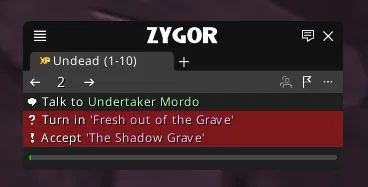
If the AddOns list marks a Viewer as “Out of Date” after a game update, Zygor's manual says a hotfix may follow and recommends temporarily enabling Load out of date AddOns in that list. That is generic manual advice for the versions it covers, not a Forever-specific support guarantee.
After checking the box, enter the game and follow Zygor's next setup instructions for the guide you installed.
Fix the problems Zygor documents
- The Client installs to the wrong folder: Open Settings, then Installations, and check the AddOns folder field. Point it to the directory for the compatible game you are installing to.
- Installation does not complete: Close any game still running, then try the Client's Repair option. Zygor says Repair compares local files with its server copy.
- Repair does not help: Zygor's Reinstall option removes existing Zygor files, downloads a fresh copy of the guides, and installs them again. Keep in mind it replaces the Zygor files already on the computer.
- The Viewer does not appear enabled: Return to the login screen's AddOns list and check the installed Viewer entry. Zygor's manual says to contact its Support Team if the repair steps do not solve the installation problem.
When these steps are not enough
These instructions help install the Zygor Client and guide components that Zygor lists for an account. They do not create a WoW Forever guide or confirm that Zygor has released one. The announcement says no beta guides are planned, and describes Elite access at launch as a plan.
More detailLess detailZygor also says initial coverage may be limited, so check its current…2 paragraphs, 53 words
Zygor also says initial coverage may be limited, so check its current catalog when the announced release arrives.
For a side-by-side look at the two route addons, read Zygor vs RestedXP for WoW Forever. RestedXP's setup guide covers its separate import process, and the WoW Forever addon guide compares other leveling helpers.
Frequently asked questions
Can I install Zygor's WoW Forever guides in the beta?
Zygor says it does not plan to have Forever guides ready for the beta. You can follow its general Client and Viewer instructions, but those steps do not install a Forever route.
Does Zygor's manual show a WoW Forever option?
The installation manual checked on September 28 lists Retail and Classic components, not a Forever-specific option. Its instructions do not establish what will appear in the Client when Zygor releases the announced guides.
Is the launch plan a confirmed release date?
No. Zygor says the guides are planned for access at launch and may have limited coverage at first, but the cited post does not give a separate guide release date.
What should I try if Zygor marks the addon out of date?
The manual recommends enabling Load out of date AddOns while waiting for a hotfix after a game update. That instruction is generic and does not confirm Forever-specific compatibility.
Every row carries its evidence tier: Confirmed, Planned, Reported, Unverified or Not announced. Where sources disagree, both stay on the page. How we verify
Sources
- Zygor User Manual: Downloading the Zygor ClientZygor User Manual
- Zygor User Manual: Installing Your GuidesZygor User Manual
- Zygor User Manual: Enabling The AddOnZygor User Manual
- Zygor User Manual: Guide Viewer overviewZygor User Manual
- Zygor Guides homepage
- Zygor's World of Warcraft: Forever Guides Launching This November!Zygor's World of Warcraft
Confirmed, a first-party Blizzard source
Press · Zygor User Manual: Downloading
Confirmed, a first-party Blizzard source
Confirmed, a first-party Blizzard source
Press · Zygor's WoW: Forever announcement
Planned, first-party, in the future tense